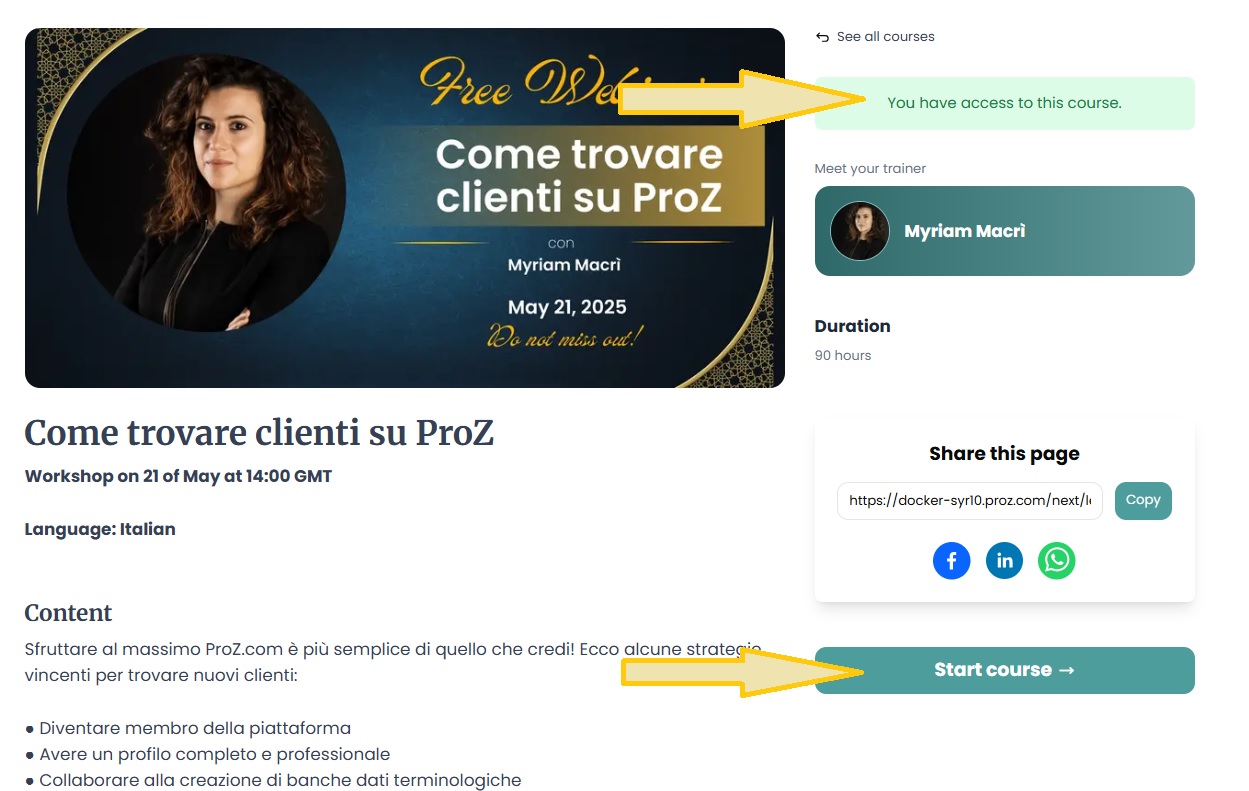
ProZ.com frequently asked questionsProZ.com Events Main Main
1 - ProZ.com Events: general 1.1 - Can I post information about a translation industry event? Yes, but only once, and in the dedicated forum for event announcements. 1.2 - რას ნიშნავს ProZ.com–ის პროფესიული ტრენინგის სესიები? ProZ.com–ის პროფესიული ტრენინგის სესია წარმოადგენს სემინარს, სადაც პროფესიულ განათლებას იღებენ ზეპირი და წერითი თარჯიმნები და ლინგვისტთა ინდუსტრიაში მომუშავე სხვა პირები. ამ სესიებს, რომლებიც გრძელდება 1 ან 2 დღის განმავლობაში, ატარებენ შესაბამის საკითხებში დამოწმებული გამოცდილების მქონე პროფესიონალები. 2 - როგორ ხდება ტრენერების შერჩევა? შემიძლია ვიყო ProZ.com–ის ტრენერი? Prcom–ის ტრენერების შერჩევა ხდება შესაბამის სფეროში მათი გამოცდილებისა და სწავლების გამოცდილების მიხედვით. თუ ხართ ProZ.com–ის წევრი, გაქვთ სერიოზული გამოცდილება მოცემულ სფეროში, გაქვთ სურვილი გაუზიაროთ თქვენი ცოდნა და გამოცდილება სხვებს და გიმუშავიათ ტრენერად ან პედაგოგად, შეგიძლიათ მიიღოთ მონაწილეობა პროგრამაში, როგორც ტრენერმა და მიიღოთ ანაზღაურება. დამატებითი ინფორმაციისთვის მიმართეთ ტრენინგების კოორდინატორს. 3 - ProZ.com training and events - general information 3.1 - What payment methods are available? Why has my status not changed yet? All payment methods are available (credit card, Paypal, 2CheckOut, Moneybookers, wire transfer in USD or EUR). You will be able to select your payment method in the second stage of the payment process. Also, for some countries, local payment will be available. When paying in local currency (other than EUR and USD), the price of the session will be the course price equivalent in the local currency at the exchange rate of the day of the transaction ( www.xe.com/ucc will be used as a source). 3.2 - What is the cancelation policy for ProZ.com training sessions? ProZ.com workshops and self-paced courses come with a 7-day no questions asked, money back guarantee. In case of paid live sessions (webinars, workshops, meetups) the cancellation can made no later than 72 hours before the live event is due to start. Cancellations must be requested via support request at http://www.proz.com/support. 3.3 - In which currency can I pay for a training session ? All ProZ.com online training fees are available in USD and Euro, but only ProZ.com members in EU member states that have adopted the Euro (the Euro Zone) are charged in Euros. 3.4 - Why does ProZ.com sometimes charge VAT tax within the EU? (This question only affects members in Europe.) 3.5 - მე ProZ.com–ის წევრი ვარ. მეხება ფასდაკლება? დიახ, სარეგისტრაციო ფასებზე ფასდაკლებაა სრული წევრებისთვის (და "საზოგადოების" ნაწილობრივი წევრებისთვის). 3.6 - მე ProZ.com–ის სტუდენტი წევრი ვარ. მეხება ფასდაკლება? დიახ, რეგისტრაციის გადასახადი შემცირებულია ProZ.com–ის სტუდენტი წევრებისთვის. ზოგიერთი კურსისთვის შეიძლება შეზღუდული იყოს სტუდენტი წევრების რაოდენობა. ადგილების აღება ხდება გადახდის რიგის მიხედვით. 3.7 - The training time is not suitable for me. Are there any other training sessions in my time zone? ProZ.com offers training from 8:00 GMT to 20:00 GMT, since most of the trainers are located in Europe. Please check the list of announced training sessions here, http://www.proz.com/training, as the timetables are usually rotated. 4 - ProZ.com webinars 4.1 - What is a ProZ.com webinar? Webinars at ProZ.com are online training sessions designed for translators and language professionals. They cover a wide range of topics, including language technology, business practices, localization, and more. Webinars can be live or recorded and are typically conducted via Google Meet. 4.2 - Which are the system requirements to attend a ProZ.com online session? Optimal requirements are: 4.3 - How can I book a place in a ProZ.com webinar? To book a webinar, click on the session name listed on the website, then click the 'Buy Now' button. After completing the payment, your registration status will be updated. You must have a ProZ.com profile and be logged in to complete the booking. If you don’t have a profile, you can create one for free in just a few minutes. 4.4 - After I registered, how do I join the online session?
4.5 - How do I find out the time of a webinar in my location?
4.6 - I don’t have a microphone can I still participate in a webinar?
4.7 - Will I have access to a recording of the session? Webinar sessions will be recorded. The video will be added to the training page on the LMS where you originally accessed the join link. You will receive an email notification once the recording is available. 4.8 - I did not attend the webinar and now want to watch the video. Where can I find it?
4.9 - I have not received a notification with the link to access the training platform.
4.10 - I am having technical problems on the webinar. Where can I find information?
4.11 - What is the refund policy?
5 - მსურს კომენტარი დავტოვო ტრენინგის შესახებ, რომელსაც დავესწარი. როგორ გავაკეთო ეს? კურსის დამთავრების შემდეგ, მონაწელეები, რომელთა სტატუსია "დარეგისტრირდა და გადაიხადა", შეძლებენ (და ჩვენ ამას მივესალმებით) კომენტარების გაგზავნას სესიის მასალის, ტრენერის, ორგანიზებისა და სხვა საკითხების შესახებ. დაუშვებელია პირადული სახის კომენტარების გაგზავნა. 6 - ProZ TV Events 6.1 - What is a ProZ TV event? A ProZ TV event is an online broadcast featuring sessions, presentations, and discussions with industry experts on topics relevant to translators and language professionals. These events are hosted on the ProZ.com platform and may include interactive elements like Q&A sessions. 6.2 - How can I register for a ProZ TV event? Visit the ProZ TV event page, select the event you’re interested in, and click the 'Register for this event' button on the top right corner. Most TV events are free to attend, and video recordings are available to everyone for 24 hours after the broadcast. After that, recordings become an exclusive benefit for ProZ.com members. You can also purchase session recordings after TV events at ProZ Learn. 6.3 - Can I interact with the speakers during the TV event? Yes, all ProZ TV events include interactive elements such as live Q&A sessions or chat. You can submit your questions during the broadcast in the Chat, and selected questions will be addressed by the speakers. 7 - ProZ.com self-paced training
7.1 - How is self-paced training delivered? ProZ.com self-paced training is delivered via integrated Moodle at https://lms.proz.com/login/index.php. Once payment is received, a trainee gets access and log in details for the session. 7.2 - Will I receive any proof of having attending a self-paced training session? Attendees will receive proof of completion via a certificate, however each course will have different criteria ranging from testing, hours logged within the Moodle session, attendance at scheduled meetings and other criteria to determine course completion. 7.3 - How long will I have access to the self-paced training after making payment? Access time will depend on the specific type of session and program details. Trainees access to course materials with Instructor assisted training and training with scheduled meetings will end when the specified time period ends. Entirely self-study training will specify duration in the description and may range from a few months to a year. 7.4 - Does self-paced training contain testing, instructor feedback, set times for delivery/meeting? Self-paced training may contain tests, assignments that are submitted for instructor feedback, assignments with due dates, and possibly scheduled webinars or online meeting times with instructors. Each self-paced training session is different; please check the course description and overview. Within each Moodle course there will be instructions and details with this information as well. 8 - ProZ.com Meetups 8.1 - Who can join ProZ.com Meetups ProZ.com Meetups are open to all paying members on ProZ.com, whether they are Professional members or Business members. 8.2 - How do I stay up to date with ProZ.com Meetups? Head to your Notification settings (Other notifications) and make sure to turn on the option to receive notifications about events (virtual and in your area). 9 - Powwows 9.1 - რა არის ProZ.com-ის Powwow? Powwow შეხვედრები წარმოადგენს ProZ.com–ის იმ მომხმარებელთა არაოფიციალურ შეკრებას, რომლებიც გეოგრაფიულად ახლოს ცხოვრობენ ერთმანეთთან. ამ ღონისძიებებს აწყობენ ადგილობრივი თარჯიმნები, ახლოს მცხოვრები თარჯიმნებისთვის. 9.2 - საიდან წარმოიშვა სიტყვა Powwow? Powwow არის ამერიკული შეხვედრების ტრადიცია, რომლებზეც ზოგჯერ იმართება შეჯიბრი ცეკვაში. სახელი აღნიშნავს საერთო საზოგადოებრივ შეხვედრას, სადაც დავალებები სრულდება. 9.3 - რა ხდება Powwow შეხვედრებზე? Powwow შეხვედრები ლინგვისტური პროფესიონალების ქსელურ და არაფორმალურ საზოგადოებებს აძლევს შეხვედრის საშუალებას, მათი პროფილების მიღმა. 9.4 - ვის შეუძლია მონაწილეობის მიღება? ProZ.com-ში დარეგისტრირებულ ნებისმიერ ადამიანს შეუძლია დასწრება, მიუხედავად გაწევრიანების სტატუსისა. გარდა ამისა, შეხვედრაზე მისვლა შეუძლიათ საიტის წევრების მეუღლეებს, შვილებსა და სტუმრებს, აგრეთვე იმ თარჯიმნებს, რომლებიც არ არიან ProZ.com–ის წევრები. 9.5 - დასწრება ფასიანია? დღესდღეობით, Powwow შეხვედრებზე დასწრება უფასოა, მაგრამ შესაძლოა მოგიხდეთ თქვენი წილის ანაზღაურება გარკვეული გაწეული ხარჯებისთვის. Powwow შეიძლება ჩატარდეს პატარა კაფეში ან რესტორანში, რაც ალბათ ფასიანი იქნება. შედარებით დიდ შეკრებაზე, ადგილობრივი ორგანიზატორი შემოგთავაზებთ საკვების, სასმელისა და სხვა ხარჯების თანხის განაწილებას. 9.6 - შემიძლია მოვიყვანო ბავშვები? სტუმრები? დიახ, შეგიძლიათ მოიყვანოთ ოჯახის წევრები და მეგობრები. 9.7 - შეხვედრაზე მოვლენ ProZ.com-ის წარმომადგენლები? ზოგ შემთხვევაში, შეხვედრას ესწრება ადამიანი, რომელსაც პიროვნების დამოწმება შეუძლია. შესაძლებელია დარეგისტრირებული მომხმარებლების პიროვნების დამოწმება საიტზე, თუ ისინი თავიანთ ფოტოიან პირადობის მოწმობას აჩვენებენ შესაბამის წარმომადგენლებს. 9.8 - სად ეწყობა შემდეგი Powwow ჩემს რეგიონში? ამ დაფაზე მოცემულია მომავალი Powwow შეხვედრები: 9.9 - აუცილებლად უნდა დავესწრო შეხვედრას, თუ დავამატებ ჩემს სახელს? ზოგიერთები თავიანთ სახელებს იმიტომ ამატებენ, რომ მხოლოდ ინფორმაციის მიღება სურთ. როგორც ორგანიზატორი, გაფორმებულთა რაოდენობის მხოლოდ 40–50%–ის დასწრებას უნდა მოელოდეთ. 9.10 - როგორ გავფორმდე დასასწრებად? თქვენს რეგიონში დაგეგმილი Powwow–ს შესახებ ინფორმაციის მისაღებად იხილეთ Powwow შეხვედრების დაფა. თუ გსურთ, შეგიძლიათ მოძებნოთ თქვენს ახლოს დაგეგმილი Powwow და დაამატოთ თქვენი სახელი. (თქვენი სახელის წაშლა ნებისმიერ დროს შეგიძლიათ, ყოველგვარი ვალდებულების გარეშე.) თუ გსურთ შენიშვნა ჩაწეროთ თქვენი სახელის გასწვრივ, შეავსეთ ტექსტური ველი, სანამ დააჭერდეთ ღილაკს და გაფორმდებოდეთ. 9.11 - შემიძლია ორგანიზება გავუკეთო Powwow–ს? თუ თქვენ ხართ ProZ.com–ის წევრი ან დარეგისტრირებული მომხმარებელი დამოწმებული პირადობით, შეგიძლიათ მოაწყოთ Powwow თქვენს რეგიონში. ამისთვის უნდა შეავსოთ შესაბამისი ფორმა Powwow–ს გვერდზე. ProZ.com–ის ჯგუფმა შეიძლება დაამტკიცოს ან დაიწუნოს თქვენს მიერ შემოთავაზებული Powwow. 9.12 - I am organizing a powwow and I'd like to invite more people to attend. How can I do it? You can submit a powwow promotion request. To do so click on the "Request promotional email" link at the top of the page of the powwow you are organizing. This will lead you to the page where you can submit your promotion request together with a sample text you can use for the invitation. Note: this feature is only available to powwow organizers 9.13 - I am organizing a powwow and I would like to include an image on the powwow page. How can I do that? Please submit a support request and attach the image you would like to include on the powwow page. Please make sure you also include the link to the powwow you are organizing. 9.14 - Should the text of the invitation to my powwow be in English only? No. You can use the invitation in English provided as a model and translate it into the language in which the powwow will be held. 9.15 - What happens after I submit my promotion request? You will be contacted by site staff with an update of your request status through the support request that is automatically generated after you submit the promotion request. 9.16 - რატომ ვერ ვპოულობ "დამსწრეთა აღრიცხვის" ბმულს Powwow–ს გვერდზე? [დამსწრეთა აღრიცხვა] 24 საათის შემდეგ ჩნდება Powwow–ს გვერდზე და მას მხოლოდ Powwow–ს ორგანიზატორი ხედავს. თუ არ ხართ ორგანიზატორი, შეგიძლიათ დაუკავშირდეთ მას და სთხოვოთ აღრიცხოს დასწრება. 9.17 - მე ავტვირთე Powwow–ს სურათები და არაფერი გამოჩნდა. თქვენს მიერ ატვირთული Powwow–ს სურათები 24 საათის განმავლობაში გამოჩნდება. თუ 24 საათის შემდეგ ვერ დაინახავთ სურათებს, გთხოვთ შეეცადოთ თავიდან ატვირთოთ ისინი, ან გაგზავნოთ დახმარების მოთხოვნა . 9.18 - რამდენი BrowniZ ქულით ჯილდოვდებიან Powwow–ს ორგანიზატორები და მონაწილეები? Powwow–ს ორგანიზატორები იღებენ 2000 BrowniZ ქულას. დამსწრეები ჯილდოვდებიან 200 BrowniZ ქულით. 10 - ProZ.com conferences - learning, networking and fun!
10.1 - რა არის ProZ.com-ის კონფერენცია? ProZ.com-ის კონფერენცია წარმოადგენს ProZ.com-ში დარეგისტრირებულ თარჯიმანთათვის განკუთვნილ რეგიონალურ ან საერთაშორისო ღონისძიებას, რომლის მასშტაბი Powwow-ზე დიდია და უფრო მეტად დაზუსტებული სტრუქტურა აქვს. მისი ორგანიზატორია ProZ.com-ის კონფერენციის კოორდინატორი, რომელსაც ეხმარება ერთი ან მეტი ადგილობრივი ორგანიზატორი. 10.2 - Are all ProZ.com conferences conducted in person? No, there are also virtual conferences. Virtual conferences are held online and attended by participants all over the world. For more information about ProZ.com virtual conferences please see the related FAQs. 10.3 - როგორ უნდა დავრეგისტრირდე კონფერენციაზე დასასწრებად? კონფერენციაზე დასარეგისტრირებლად, გახსენით კონფერენციის გვერდი და მარცხენა მხარეს, კონფერენციის მენიუს ქვემოთ, აირჩიეთ პაკეტი და დააწკაპუნეთ ბმულზე „შეიძინეთ ახლა“. გადახვალთ გადახდის პლატფორმაზე, რომელიც დაგეხმარებათ გადახდის პროცესის შესრულებაში და შემოგთავაზებთ გადახდის სხვადასხვა მეთოდებს (საკრედიტო ბარათით გადარიცხვა ინტერნეტით Paypal-ის გამოყენებით, საბანკო გადარიცხვა, ProZ.com საიტის საფულის გამოყენება, Moneybookers, Paypal...). 10.4 - როგორ უნდა გადავიხადო კონფერენციაზე დასასწრებად? გადახდის მეთოდები განსხვავებულია და დამოკიდებულია კონკრეტულ კონფერენციაზე, ესენია: 10.5 - რა წესები არსებობს კონფერენციაში მონაწილეობის გასაუქმებლად? გაუქმების წესები: მათ, ვინც მონაწილეობას გააუქმებს არაუგვიანეს 30 დღისა კონფერენციის დაწყების დაგეგმილ თარიღამდე, დაუბრუნდებათ რეგისტრაციისთვის გადახდილი თანხა, რომელსაც ჩამოჭრილი ექნება 20%-იანი ადმინისტრაციული საფასური. ამ ვადის შემდეგ რეგისტრაციის გაუქმების შემთხვევაში არ მოხდება თანხის დაბრუნება. თანხის დაბრუნება დამუშავდება გაუქმების შესახებ წერილობითი შეტყობინების მიღებიდან 30 დღის შემდეგ. გაუქმების მოთხოვნა ელ.ფოსტით უნდა გაუგზავნოთ ProZ.com-ის კონფერენციების კოორდინატორსა და ადგილობრივ ორგანიზატორს. წევრებს აგრეთვე შეუძლიათ გადაიტანონ თავიანთი გადასახადი სხვა დაგეგმილი კონფერენციის საფასურში და გადაიხადონ მხოლოდ ღირებულების სხვაობა.” | Request help Site documentation The member services and support team  Jared  Lucia  Helen  Yana  Karen  Hayjor  Andrea  Naiara  Joseph  Saint  Valentin  Laura  Erika  Agostina  Ana |